Most AI tools for marketers do one thing. Insightable takes a different approach: a Swiss platform that combines several research-grounded AI tools for marketing, market research, brand and sales under one roof. Here is an overview of what’s inside – with links to each module.
Insightable.ch: AI for marketing, market research and sales, developed and hosted in Switzerland.
Market research
Digital Twins & synthetic audiences – AI simulations of people with realistic profiles, census-matched for Switzerland, Germany and the USA, with Sinus-Milieus and panel import. Our review.
AI Sales Assistant – “Sell to Persona” training with a scorecard and a Client Finder for B2B retailers on a map, including store photo analysis. Our review.
Agentic AI for companies – a Swiss-hosted environment where employees build no-code AI agents, connect them to company systems and share them with governance. Our article.
What makes Insightable different
Research background: the platform connects applied AI with research in marketing, consumer behaviour and digital technology – visible in features like census matching, vignette experiments, conjoint and the Big Five.
Made and hosted in Switzerland: relevant for companies with data-residency requirements.
Modules that work together: twins feed surveys, personas power focus groups and sales training, brand tools and AIRank cover how people – and AIs – see your brand.
Verdict
Insightable is less a single app than a toolbox for evidence-based marketing with AI. Start with the module closest to your current question; the full list is on the Insightable solutions overview, and demos can be requested directly on every page.
After the chatbot wave comes the agent wave. Instead of answering one question at a time, AI agents complete tasks in several steps – fetching data from systems, creating documents, triggering processes. The challenge for companies is not whether agents are useful, but how to let employees build them without losing control. Insightable’s Agentic AI environment is designed for exactly that.
What is agentic AI?
An AI agent is a language model with a defined role, its own instructions, knowledge and tools. Unlike a chat, an agent doesn’t just answer a question – it plans and executes steps, such as retrieving information from systems, drafting documents or kicking off processes. Agentic AI in a company means using such agents in a controlled, traceable and secure way.
Agentic AI at Insightable: build, connect and share AI agents in a secure environment.
How it works
Build an agent – employees define role, instructions and knowledge in minutes, without programming.
Connect interfaces – agents get controlled access to company systems such as Outlook, document storage, databases or internal APIs.
Share and scale – proven agents are shared with teams or the entire organisation, with permissions, governance and versioning.
Key features
No-code agent builder: role, instructions, examples, knowledge and tools by configuration – no development project.
Sharing across the organisation: improve agents together and manage them centrally.
Company interfaces: connectors and APIs for Outlook, documents, databases and business systems.
Company knowledge & RAG: agents use policies, manuals and internal documents and answer with source references.
Governance & permissions: central management of users, models, data access and approvals.
Swiss hosting: dedicated infrastructure in Switzerland with access to leading AI models.
Use cases
Everyday assistance: agents that prepare emails, summarise meetings or answer requests based on internal policies.
Department agents: HR, finance, sales or customer service build agents for recurring tasks and share them within the team.
Process automation: multi-step workflows across system boundaries – fetch data, check it, create documents, forward them.
Why “secure” is the real feature
The technology to build agents is widely available. What most companies lack is a place where employees can experiment and IT keeps oversight of which models are used, which data an agent can touch and who can share what. Swiss hosting adds a data-residency argument that matters for many European organisations. That combination – bottom-up creativity with top-down governance – is what makes an agents environment usable in practice.
Verdict
If your organisation wants to move from “everyone has a chatbot” to agents that actually do work in your systems, the Agentic AI page at Insightable is a good place to start; for company-wide secure AI more broadly, see AIToolbox Enterprise AI. Our overview of the whole platform: Insightable review.
Brand strategy lives on two classic questions: What do people associate with our brand? and Where do we stand compared with competitors? Answering them traditionally means association studies and perceptual-mapping surveys. Two AI tools from the Insightable ecosystem give you a fast first answer to both: the Insightable brand association tool and AIBrand.ch for positioning maps.
Brand associations: a semantic map in seconds
Brand associations are everything customers spontaneously link with a brand – attributes, images, emotions, usage situations. Insightable’s tool makes this semantic network visible: you enter a word or upload an image, and the AI generates a semantic map of associated terms. The closer a term is to the centre, the stronger the association.
Brand associations with AI: enter a word or image, get a semantic map.
Typical uses:
Brand analysis – which terms and concepts are currently linked with your brand?
Communication checks – do your campaign words trigger the associations you want?
Naming and creative work – explore the semantic field around names, claims and visuals.
The image input is the hidden gem: upload a key visual or packaging shot and see which concepts it evokes before the campaign goes live.
Positioning maps: you vs. the competition
A positioning map (perceptual map) places brands along two relevant dimensions – price, quality, innovation and so on – and shows at a glance where a brand stands and where the white spaces are. Brand positioning with AIBrand works like this:
Enter your brand and competitors.
Get axes and a map – the AI suggests suitable axes and positions the brands on a 2D map; add a third axis for a 3D map.
Analyse differentiation – see where brands overlap and where there is room to differentiate.
AIBrand.ch: brand name, optional X/Y/Z axes, and the map is generated.
The optional Z-axis is more than a gimmick: two brands that look identical on price vs. quality can be far apart on, say, emotional appeal.
How the two tools fit together
Associations tell you what your brand means; positioning maps tell you where it sits relative to others. Together they make a quick, inexpensive starting point for a brand workshop or a repositioning discussion. And if you want to know how AI assistants actually describe and recommend your brand to customers, the third tool in the family is AIRank for Generative Engine Optimization – see our AIRank review.
Verdict
Neither tool replaces a full brand tracking study, and they don’t pretend to. But for hypotheses, workshop material and fast sanity checks, they are remarkably useful. Try the brand association map and create a positioning map on AIBrand.ch.
Sales skills improve with practice – but practising on real customers is expensive, and role plays with colleagues rarely feel real. Insightable’s AI Sales Assistant offers two tools for sales teams: an AI customer to practise on and an AI researcher to find new B2B clients.
Part 1: Sell to Persona
“Sell to Persona” simulates a sales conversation with an AI customer persona. You describe your product and the conversation context; the AI takes on the role of the customer – with objections, questions and its own personality. Afterwards, the conversation is evaluated with a Sales Conversation Scorecard, so training becomes systematic and repeatable instead of a one-off workshop.
The AI Sales Assistant: sales training with AI customer personas plus B2B client research.
The customer personas use the same technology as Insightable’s digital personas, which are based on the Big Five personality model. That means you can practise with a friendly, a sceptical or a detail-obsessed buyer – and they stay in character.
Part 2: Client Finder
The Client Finder uses AI to research B2B retailers by market, region and your own criteria. Results are displayed on a map. A particularly practical detail: the tool can analyse photos of shop fronts, shop windows and store interiors, helping you assess whether a location fits your brand before you send a field rep.
Use cases
Sales training: practise as often as you like, with immediate, structured feedback.
Onboarding: new team members rehearse product-specific conversations before they talk to real customers.
B2B lead research: identify suitable retailers in target markets and prioritise acquisition.
Location assessment: evaluate potential trade partners by their window and store images.
What we like
The scorecard turns subjective “that went well” into comparable feedback over time.
Training and prospecting live in one tool – useful for brands that sell through specialist retail.
Store photo analysis is a feature we haven’t seen in generic sales tools.
Who it’s for
Brands and manufacturers that sell via specialist retailers (sports, outdoor, fashion, home, consumer electronics), B2B sales teams with frequent onboarding, and sales managers who want a measurable training routine. The product context is yours to define, so the AI customer talks about your actual offer.
Verdict
The AI Sales Assistant is a smart combination of coaching and prospecting. If your team needs more practice reps and better-qualified retail leads, request a demo on the AI Sales Assistant page. For the persona technology behind it, see our article on digital personas and AI focus groups.
Every marketing team has persona slides: “Anna, 34, urban, values sustainability”. The problem is that Anna can’t talk back. Insightable’s digital personas change that – they are AI characters you can interview, put into a group discussion or invite to a moderated focus group.
What are digital personas?
Digital personas are AI characters built on psychological models: the Big Five (OCEAN) – openness, conscientiousness, extraversion, agreeableness and neuroticism – each on a scale from 1 to 5, plus core values, communication style and language. As a result, each persona answers consistently and comprehensibly from its own perspective, in a one-on-one conversation as well as in a group.
Digital personas and AI focus groups at Insightable.
Three ways to use them
1:1 chat – personal conversations for interviews, idea feedback or role play.
Group rooms with @mentions – bring several personas into one room, let them discuss and address individual personas directly via @mention.
AI focus groups with moderation – set a topic, step in as moderator whenever you like and receive an automatic summary at the end.
Personas and rooms can be shared with your team, so a product manager and a copywriter can work with the same “customers”.
Where AI focus groups shine
Qualitative exploration: explore perspectives and reactions to a topic before running real interviews – and arrive with better questions.
Concept discussions: watch a sceptical, a curious and a price-sensitive persona debate a new offer. Objections surface quickly.
Customer understanding: develop a feel for how different personality types react to the same message.
Sales training: practise conversations with demanding persona types – this connects directly to the AI Sales Assistant.
Why the psychological model matters
Many “chat with your persona” tools are a single prompt with a name and an age. Grounding personas in the Big Five makes their behaviour more distinct and more stable: a low-agreeableness persona will push back, a high-openness persona will riff on new ideas. In a focus group, that diversity is the whole point – otherwise you just get five polite versions of the same answer.
Personas vs. digital twins
Insightable distinguishes between two concepts. Personas are rich individual characters for qualitative conversations. Digital twins are many profile-based respondents that together form a representative synthetic audience for quantitative surveys. Both complement each other: explore with personas, quantify with twins. See our digital twins review for the quantitative side.
Verdict
AI focus groups won’t replace a well-run real focus group, but they make qualitative thinking available every day instead of twice a year. For brainstorming, objection mining and preparing interviews, Insightable’s digital personas and AI focus groups are a practical, research-grounded option.
Writing a questionnaire takes a day. Getting answers takes weeks. That imbalance is why many ideas never get tested at all. Synthetic surveys from Insightable flip the ratio: the questionnaire is answered by AI-simulated respondents in minutes, so you can iterate before you go into the field.
What is a synthetic survey?
In a synthetic survey, your questionnaire is not answered by real people but by digital twins – AI simulations of people with demographic profiles. The result is an analysable dataset with charts and respondent demographics, just like a classic online survey.
Insightable’s synthetic survey module: from questionnaire to results without field time.
Three steps from questionnaire to insight
Build the questionnaire from text, multiple-choice, Likert, rating and yes/no questions – with pages, survey flow and branching rules.
Choose audience and model – pick an audience, the AI model and the number of responses.
Analyse the results as charts with respondent demographics, including A/B comparisons and conjoint analyses.
What sets it apart
Cross-question memory: answers stay consistent across the questionnaire because the model carries the previous answers along. A twin that said it doesn’t own a car won’t rate its car-sharing usage two questions later.
Survey flow with branching: each twin only sees the questions relevant to it – like in a real survey tool.
A/B tests with vignettes: group A and group B see different scenarios; the analysis looks not only at differences in outcomes but also at the psychological mechanisms behind them. That is a genuinely research-grade feature.
Conjoint analysis: define attributes and levels and get part-worth utilities and relative importances – ideal for product and pricing questions.
Model and sample choice: set the AI model and the number of responses per study.
Typical use cases
Concept and idea tests – check concepts, messages and designs before budget flows into field work.
Message and claim testing with controlled A/B variants.
Product and pricing research via conjoint: which attributes really drive choice?
Questionnaire pre-tests – find ambiguous questions and skip logic errors before real respondents hit them.
Synthetic vs. real respondents
Synthetic data is best used as a fast, cheap first pass: it narrows ten options down to two, reveals which questions matter and helps you write a better study. High-stakes decisions should still be validated with real customers. Used that way, synthetic surveys don’t replace market research – they make it faster and better targeted.
Verdict
Insightable’s survey module is closer to a research tool than to a toy chatbot: survey flow, consistent respondents, vignette experiments and conjoint are all there, and the audiences can be census-matched for Switzerland, Germany and the US. If your team tests concepts or messages regularly, the synthetic survey page is worth a look. For the underlying audiences, read our review of Insightable’s digital twins.
Recruiting a representative sample for a survey still takes weeks and a serious budget – and that is before the first question is answered. “Digital twins” promise a shortcut: AI-simulated respondents that mirror the structure of a real population. The Swiss platform Insightable offers digital twins and synthetic audiences for exactly this purpose. Here is what the feature does and where it makes sense.
What is a digital twin in market research?
In this context, a digital twin is an AI-based simulation of a person with a realistic demographic and psychographic profile – age, gender, education, income, employment status, language, ethnicity and region, down to Swiss cantons. Each twin answers questions from the perspective of its profile. Put many of them together and you get a synthetic audience that structurally matches a real population.
Insightable’s Digital Twins page: synthetic audiences that mirror real populations.
How it works in Insightable
Choose or create an audience – start with a predefined audience or define your own target group by demographic criteria.
Generate a sample – Insightable creates a sample of digital twins that matches the target distribution, optionally census-matched for Switzerland, Germany or the USA.
Use it in studies – run the audience directly in synthetic surveys and A/B tests and get results including respondent demographics.
Features that stand out
Census matching for the Swiss, German and US population distributions – rare among synthetic-data tools, and especially valuable for the Swiss market with its language regions and cantons.
Sinus-Milieus as an established lifestyle segmentation – useful if your marketing already thinks in milieus.
Import your own panel via CSV or XLSX and simulate studies with it – so your twins resemble your real customers, not just the general population.
Predefined and custom audiences that plug straight into surveys and A/B tests, without separate recruiting.
Where digital twins help
Early concept tests: screen ideas, messages or product variants before spending budget on field work.
A/B tests: compare variants on a synthetic audience before recruiting real participants.
Segment understanding: see how different segments – by milieu or region – answer the same question.
Hypothesis building: sharpen the questionnaire for the “real” study by finding out which questions actually discriminate.
A note on expectations
Synthetic respondents are not a one-to-one replacement for real customers – and serious providers don’t claim that. Their strength is speed and iteration: dozens of variants in an afternoon instead of one study per quarter. Insightable comes from a research background in marketing and consumer behaviour, which shows in its features (census matching, milieus, conjoint, vignette-based A/B tests). Our recommendation: use digital twins to explore and pre-test, then validate the most important decisions with real people.
If you run concept tests, message tests or segment analyses regularly, synthetic audiences can dramatically shorten the loop from idea to evidence. Insightable’s implementation is notably strong on representativeness for Switzerland, Germany and the US. Details and a demo request are on the Insightable Digital Twins page.
For twenty years, being found online meant one thing: ranking on Google. That is changing. When people ask ChatGPT, Gemini or Perplexity “Which tool is best for …?”, they get a short, generated answer with two to five names. Being in that answer – or not – is the new battleground. The discipline that deals with it is called Generative Engine Optimization, or GEO.
GEO in one sentence
Generative Engine Optimization is the targeted improvement of a brand’s visibility in the answers of generative AI systems. While SEO aims for positions in a list of results, GEO is about whether an AI mentions your brand at all, at which position and in what tone. A concise German-language definition is on “Was ist GEO?” at AIRank.ch.
AIRank’s GEO explainer – a good starting point for marketing teams.
Why GEO matters now
An AI answer acts like a shortlist. It decides which providers a customer considers before they ever visit a website. For management, this is a new form of brand presence – and, until recently, one nobody measured. Brands that appear early and positively in AI answers gain a head start that is hard to see in classic web analytics.
GEO vs. SEO: the key differences
Outcome: SEO aims for rankings in a results list; GEO for being named and recommended in a generated answer.
Metrics: SEO counts positions and clicks. GEO looks at visibility, position within the answer, share of all mentions (share of voice) and sentiment.
Volatility: AI answers vary with wording, model and time. Meaningful results need many prompts and repeated measurements, not a single query.
Interplay: GEO does not replace SEO. Clear, credible content and a strong presence in expert sources help both.
What influences whether an AI names your brand?
AI providers do not disclose exactly how answers are assembled. In practice, a few factors keep showing up:
how clearly and consistently your brand, offer and positioning are described on the web,
whether independent sources – trade articles, comparisons, directories, reviews – mention your brand in the right context,
whether your website answers your customers’ typical questions directly and factually,
for answers with web search: how findable and up to date your content is.
A five-step GEO strategy
The Swiss GEO tool AIRank describes a pragmatic approach in its guide GEO strategy for management, which we summarise here:
Measure the baseline: define the 20 to 50 questions that really matter for your business – along the customer journey, from the general problem to the provider comparison to the purchase decision.
Understand your competitive position: who is named first for your most important questions? How big is your share of voice? Are you recommended or just mentioned in passing?
Prioritise gaps: missing mentions on high-intent questions, weak positions late in the answer, negative or outdated descriptions.
Act: align content with customer questions, keep facts consistent across website and profiles, build presence in independent sources, ensure technical findability (indexable pages, structured data).
Prove the effect: repeat the measurement with the same prompts and track rank, visibility and sentiment over time.
How to measure GEO
You can only optimise what you measure. Manually asking ChatGPT a few questions is a start, but answers fluctuate and are personalised. Dedicated tools such as AIRank, the GEO tool from Switzerland, query AI models systematically with your prompts and compute comparable metrics: a Visibility Score from 0 to 100, ranking, share of voice and sentiment, including competitors and trends. How the score is built is explained on measuring AI visibility. We tested the tool in our AIRank review.
FAQ
Is GEO the same as “AI SEO”? The terms are often used interchangeably. GEO emphasises that it is about generated answers, not a results list.
Can you buy a mention in AI answers? Organic AI answers cannot be booked directly. You can improve the foundations the models rely on – and measure the effect.
How often should you measure? AI answers change with new model versions and new content on the web. Weekly scans give a reliable picture.
Bottom line
GEO is not a fad; it is the logical consequence of customers asking machines for advice. Start by measuring where you stand – for example with a free Quick Scan on AIRank.ch – and treat AI visibility as a KPI next to SEO. More background in German: Generative Engine Optimization (GEO) at Insightable.
More and more buying decisions start with a question to an AI assistant: “Which provider is best for …?”, “What’s a good alternative to …?”. The answer is not a page of ten blue links but a short recommendation with a handful of names. If your brand is not among them, you are often not even considered. AIRank.ch is a Swiss tool that measures exactly this: how visible your brand is in the answers of ChatGPT and other AI models. We took a closer look.
What is AIRank?
AIRank is a tool for Generative Engine Optimization (GEO) – the AI-era counterpart to SEO. Instead of tracking where your website ranks on Google, it checks whether AI models mention your brand at all, at which position, how prominently and in what tone. It is built by Insightable GmbH in Switzerland and is aimed at marketing teams, brand managers and agencies who want hard numbers on a channel that has so far been a black box.
The AIRank homepage: type in a brand name and start a free Quick Scan – no account needed.
First test: the free Quick Scan
The fastest way in is the Quick Scan on the AIRank homepage. You type a brand name, and in roughly a minute AIRank asks an AI model three realistic customer questions and shows whether your brand appears – and which competitors are named instead. We tried it with the Swiss bag brand Freitag:
Our Quick Scan for Freitag (model: GPT-6 Luna, 3 answers): Visibility Score 62.1/100, average rank #1, 12 competitors named.
Freitag came out on top with a Visibility Score of 62.1 out of 100 and an average rank of #1 – but with a share of voice of only 7.7%, because the AI named a dozen other brands alongside it, led by Patagonia, Chrome Industries, Fjällräven, Victorinox, Mammut, Herschel, VAUDE, pinqponq and QWSTION. Each competitor comes with its own visibility value and sentiment (positive or neutral). AIRank labels the result honestly as a short preview, not a full market analysis.
That alone is eye-opening: you immediately see who “owns” the AI answers in your category. For a real picture you then create a free account and track your own set of prompts over time.
What AIRank measures
The core idea is simple: AIRank asks an AI model the questions your customers would ask and analyses every answer. The methodology is documented openly on the page “KI-Sichtbarkeit messen” (measuring AI visibility):
Visibility Score (0–100) – four equally weighted parts: how often the brand is mentioned, how early it appears in the answer, how positively it is described and how much of the text it takes up.
Ranking – your position compared with all other brands that show up in the answers.
Share of Voice – your share of all brand mentions across all answers.
Sentiment – whether the AI presents your brand positively, neutrally or negatively.
History – trend charts for rank and visibility, because AI answers fluctuate from day to day.
AIRank explains its metrics transparently – a plus compared with many “AI SEO” tools.
Features we found useful
Suggested prompts: you enter brand and website, AIRank proposes realistic customer questions that you can edit and extend.
Competitor research: once at the start, AIRank researches the relevant providers in your market and verifies them via web search. Brands that the AI names but that are not on the list still appear in the results – flagged as “not web-verified”.
Several spellings per brand: “EY” and “Ernst & Young” count as one brand; product names like “Porsche Macan” are mapped to the brand.
Every answer in detail: the full AI answer per prompt, with the detected brands highlighted.
AI assessment: a short automatic summary of what the numbers mean for your brand.
Automatic scans (Pro and Team): daily, every two or three days or weekly in the background.
AIRank uses current OpenAI models via the official API, by default GPT-6 Luna; other GPT models can be selected per scan. One honest caveat that AIRank itself points out: answers via the API can differ from what you see in the ChatGPT app, because the app also uses your chat history and personal settings. That is exactly why measuring many prompts repeatedly is more meaningful than a single screenshot of a single chat.
Pricing
Free: CHF 0 – up to 5 brands and 50 prompts.
Pro: CHF 149 per month (or CHF 1,428 per year) – up to 10 brands, 100 prompts and automatic scans.
Team: from CHF 299 per month – up to 50 brands and 200 prompts, including automatic scans.
Current details are on the AIRank pricing page. The free plan is generous enough for a serious first baseline.
Who is it for?
AIRank makes the most sense for brands in categories where people ask AI for recommendations: B2B services, software, consumer goods, financial and insurance products, travel, consulting. Marketing leads get a number they can report; agencies get a before/after measurement for GEO and content work. If you want to understand the strategic side first, AIRank’s guide GEO strategy from a management perspective is a good five-minute read, and our own explainer What Is Generative Engine Optimization (GEO)? covers the basics.
Our verdict
AIRank does one thing and does it clearly: it turns “Does ChatGPT recommend us?” into a measurable, repeatable number – with competitors, sentiment and trends. The methodology is transparent, the Quick Scan is free and requires no login, and the Swiss origin will matter to many European companies. If AI assistants are becoming part of your customers’ journey, try the free AIRank Quick Scan – the result is often a surprise.
“Just take a photo and the app counts the calories.” It sounds too good to be true – and partly it is. AI calorie counting from a photo has improved enormously since multimodal models like GPT-4o and its successors arrived, but a camera still can’t weigh your food. This article explains what the AI actually does, where the errors come from, how big they realistically are, and how to get useful numbers anyway.
What the AI actually does
A modern photo tracker sends your image to a multimodal language model. The model does three things in one pass: it recognizes the foods (chicken breast, rice, edamame, a creamy dressing), it estimates portions from visual cues – plate size, how high the food is piled, typical serving sizes – and it looks up nutrition values per 100 g from what it learned during training. Multiply portion by nutrient density, add it up, and you get calories and macros.
Step one works remarkably well today. Steps two and three are where the uncertainty lives.
Where the errors come from
Portion size. Is that 120 g or 180 g of rice? From a single photo, even a human nutritionist is typically off by 20–30%. Depth and angle matter; a second photo from another angle helps.
Hidden calories. Oil in the pan, butter on the vegetables, dressing on the salad, sugar in the sauce. These are invisible and can add 100–300 kcal to a meal. This is the single biggest source of error – and it hits protein far less than calories.
Look-alikes. Full-fat vs. low-fat yogurt, white vs. whole-grain bread, regular vs. diet soda – identical in a photo, very different in numbers.
Restaurant food. Larger portions and more fat than home cooking; models trained on typical servings tend to under-estimate.
How big is the error, realistically?
Published studies on image-based dietary assessment and our own tests point in the same direction: for mixed meals, calorie estimates from a single photo land within about ±20–25% of the weighed value most of the time, with occasional larger misses on fatty or saucy dishes. Protein is estimated more reliably than calories – protein sources (meat, fish, eggs, dairy, legumes) are visually distinctive and their protein content doesn’t change much with preparation. That’s why photo tracking works especially well if protein is your main target.
For comparison: people logging food manually in a database under-report their intake by roughly 20–30% in large studies too. The photo isn’t perfect, but neither was the method it replaces – and it’s far more likely to be done consistently.
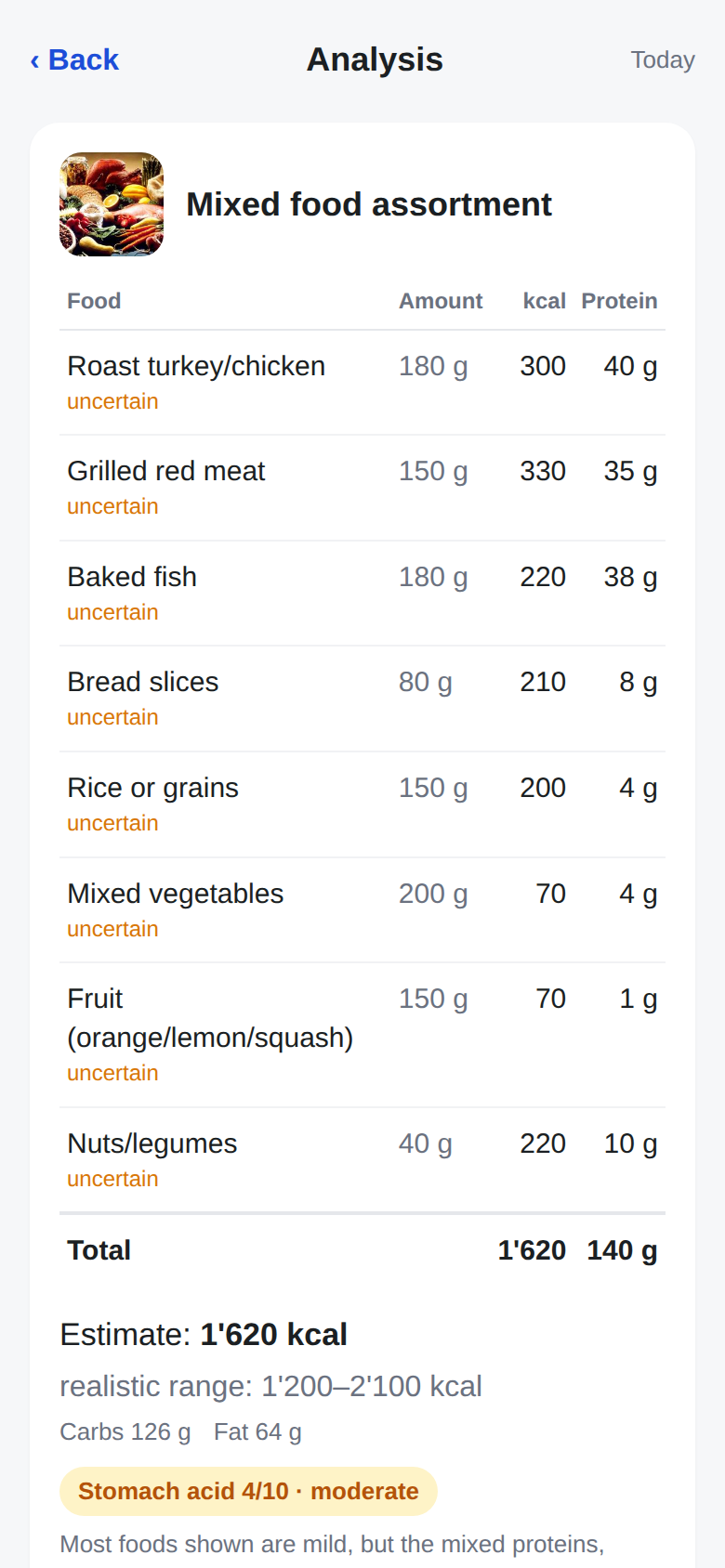
A good app shows the range, not just the number: here 575 kcal estimated, realistic range 480–700, with dressing and oil marked as uncertain (ProteinLook).
What a good app does about it
The difference between a useful tool and a toy is not whether it is uncertain – they all are – but whether it tells you. Look for these things:
A range, not a single number. “480–700 kcal” is honest; “487 kcal” is theatre.
Flags on uncertain items. Oil, dressing, sauces and portion size should be marked as estimates.
Easy corrections. You know you ate only half; the app should let you say so in one sentence and recalculate everything. ProteinLook, for example, uses a chat box for this (“only 120 g of rice”, “no oil”) instead of editing fields.
Room for hints. A short note at capture time – “restaurant portion, lots of oil” – resolves most of the ambiguity before the AI even starts.
How to get the most accurate results
Shoot from above at roughly 45°, with the whole plate visible and something for scale (cutlery, a hand).
Add a second photo from another angle for piled or layered food.
Tell the AI what it can’t see: cooking oil, type of milk or yogurt, “diet” drinks.
Correct portions when you know better – it takes five seconds.
Think in weekly averages. A ±20% error on one meal mostly cancels out over seven days of consistent logging.
Bottom line
AI calorie counting from a photo is an estimate – a good one when the app is honest about it, and an excellent one for protein. If you need gram-exact macros for a bodybuilding show, keep your kitchen scale. For everyone else, the question isn’t whether the photo is as precise as weighing. It’s whether you’ll still be logging in three weeks. With a photo, you probably will.
Disclosure: ProteinLook, used as an example in this article, was built by the author of this site.